Overview
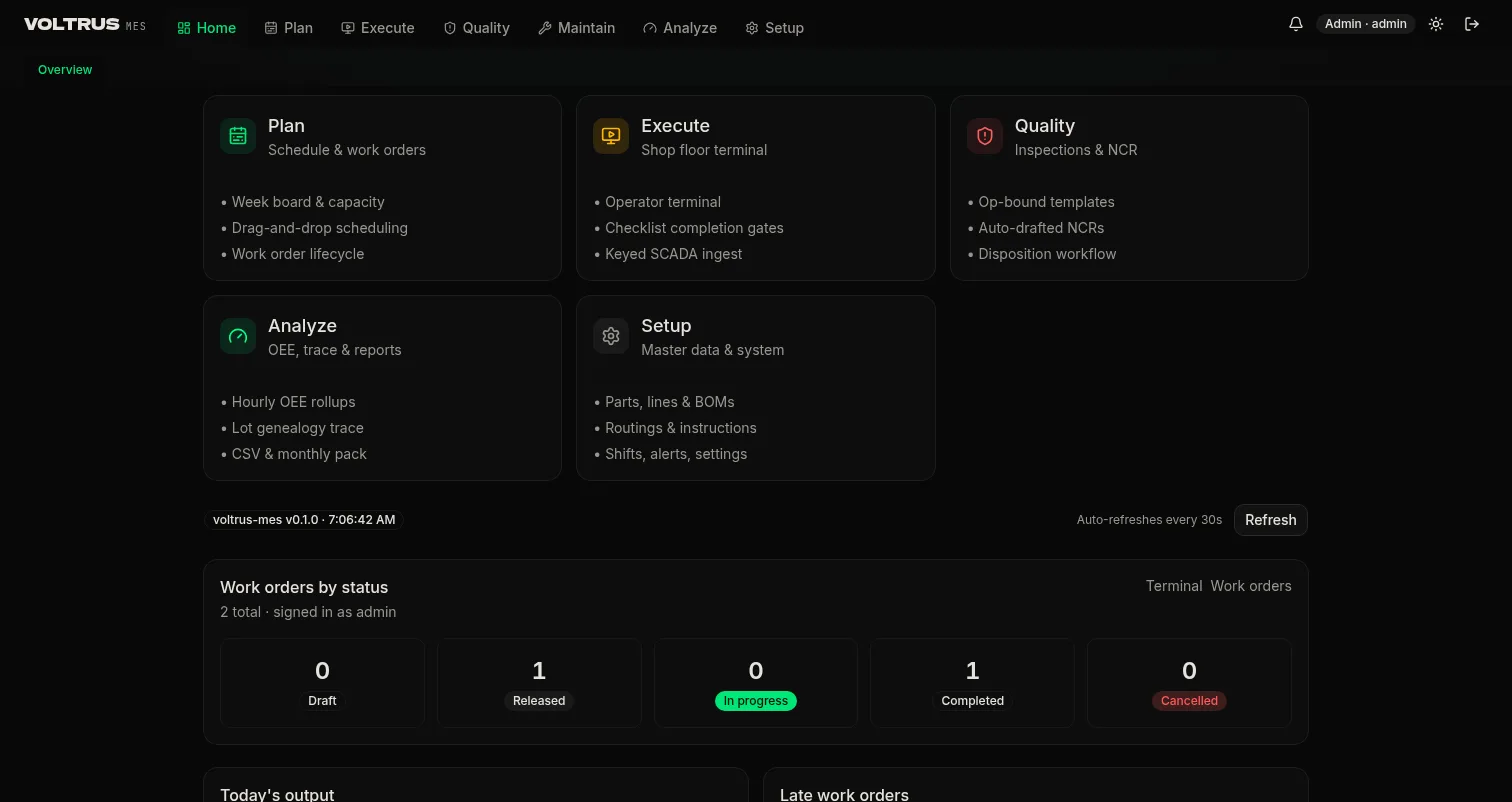
Voltrus MES runs production on the machine data the Voltrus stack already collects. Work orders dispatch to station terminals, every event appends to a production log, checks happen where the work happens, and the shift ends with numbers instead of reconstruction. This page documents each module with screenshots from a running instance.
The modules
| Module | What it does | Docs |
|---|---|---|
| Plan | Week schedule board with capacity, work order lifecycle | Schedule & Work Orders |
| Sales orders | Order intake from the ERP or manual entry, qualifications gating the floor | Sales Orders & Qualifications |
| Execute | Station terminal, andon wall, downtime log | Terminal, Andon, Downtime |
| Materials | Check-in, consumption, produce; weighing at material prep | Material Events & Weighing |
| Machine ingest | Keyed SCADA ingest: states and counts become events | Machine Ingest |
| Quality | Measurement forms and SPC at the station, QN to LIMS or ERP, NCR workflow | Inspections & NCR |
| Trace | Lot genealogy both directions, per-lot audit pack | Trace & Audit Pack |
| Packing | Batch numbering rules, label design, printer integration | Packing, Batch Numbers & Labels |
| Analyze | Hourly OEE rollups, daily and month-end reports | OEE & Reports |
| Integrations | Webhooks to the Gateway: printers, scales, scanners, sensors, gauges | Webhooks & Gateway Hardware |
Deployment
Cloud by default; on-site for plants that cannot send production data off-site — decided per site during onboarding. Access is role-based: operators see the terminal, supervisors see planning and quality, admins see setup and ingest.
Plan: Schedule & Work Orders
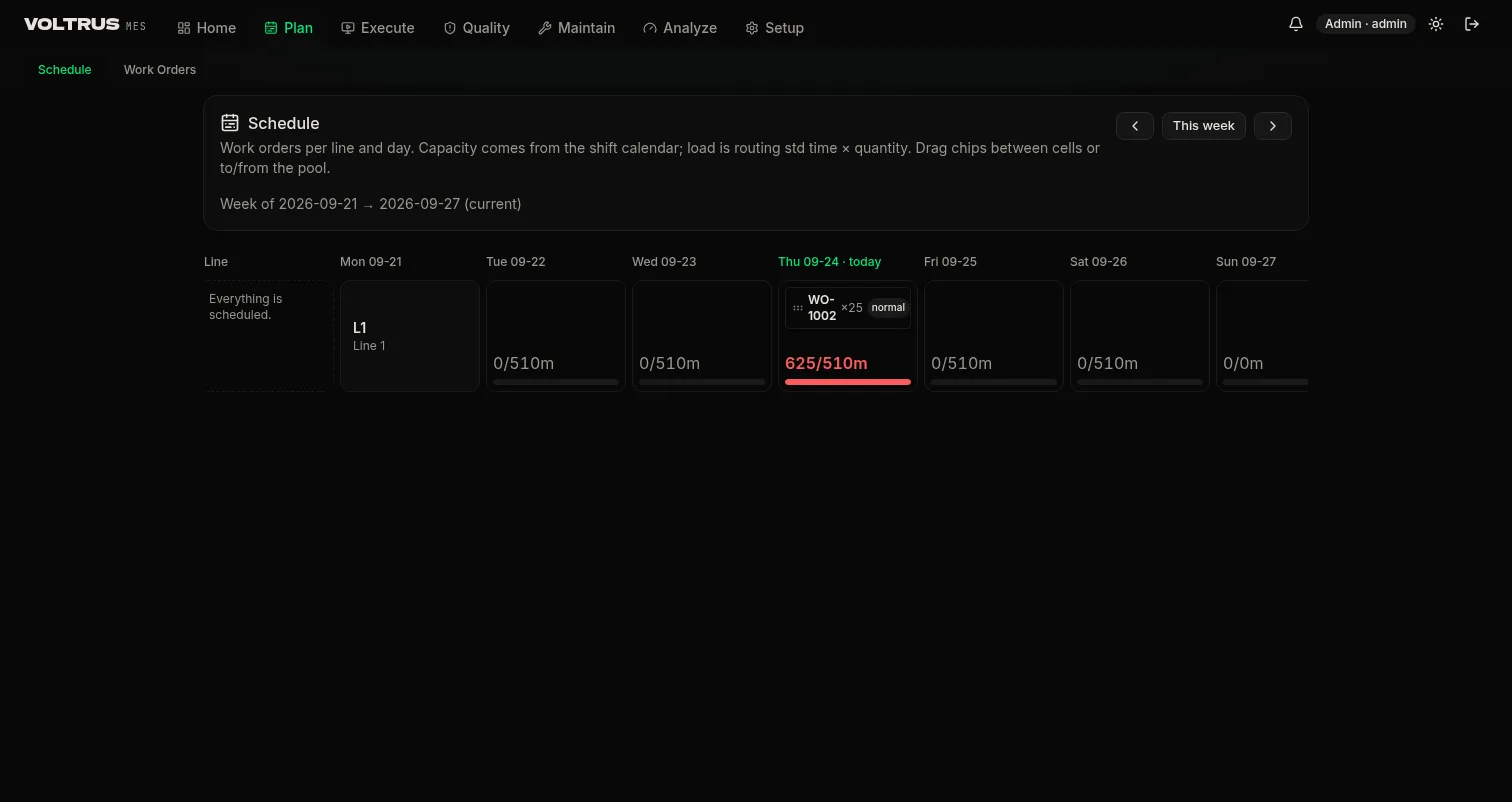
The schedule board shows work orders per line and day. Capacity comes from the shift calendar; load is routing standard time multiplied by quantity. Drag chips between cells or to and from the pool.
Work order lifecycle
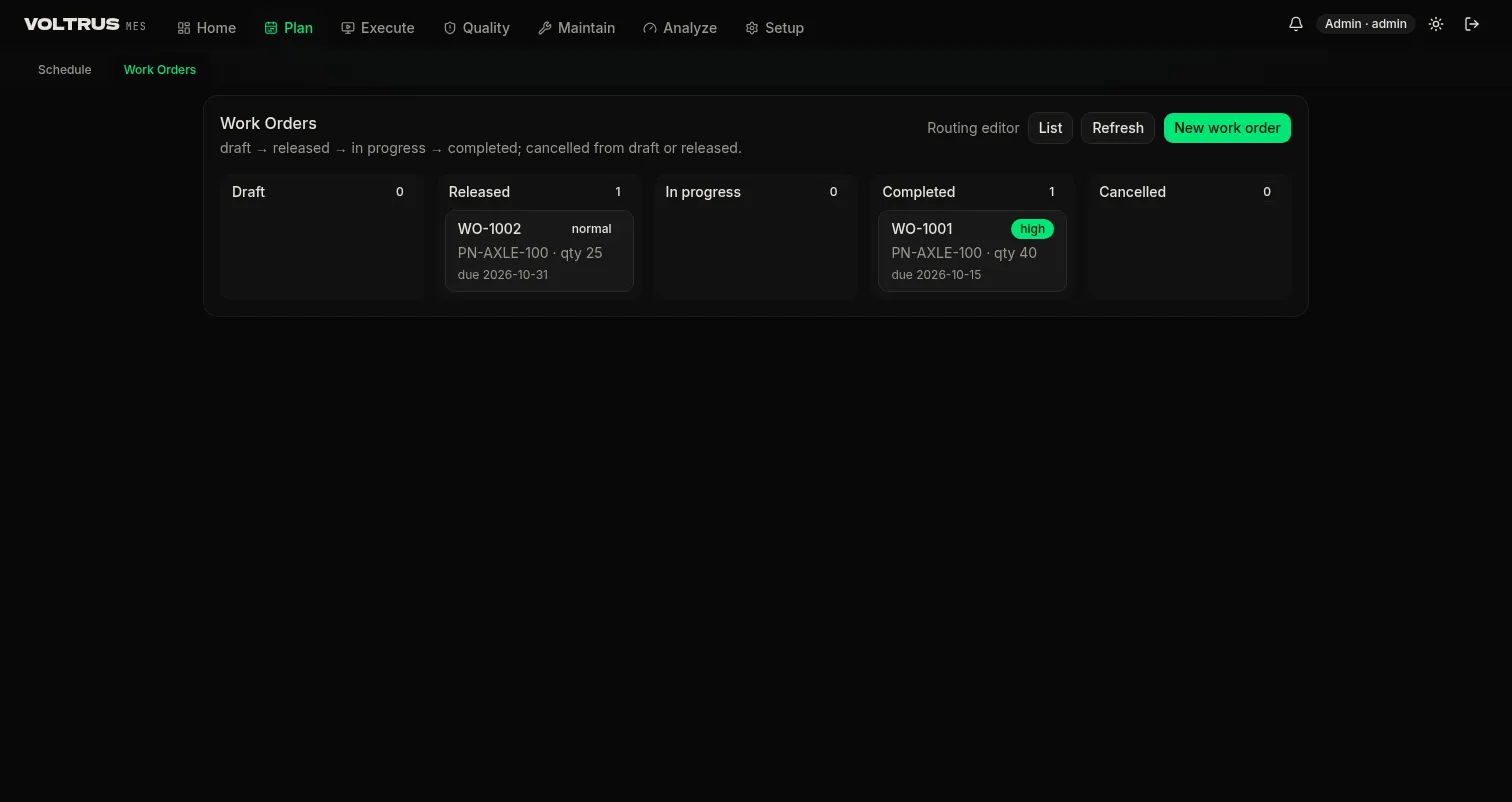
A work order moves draft to released to in progress to completed. Draft orders are editable; release clones the active routing into station operations and freezes the plan; completion posts final quantities. Priority ranks rush, high, normal, low, and the terminal sorts by priority then due date.
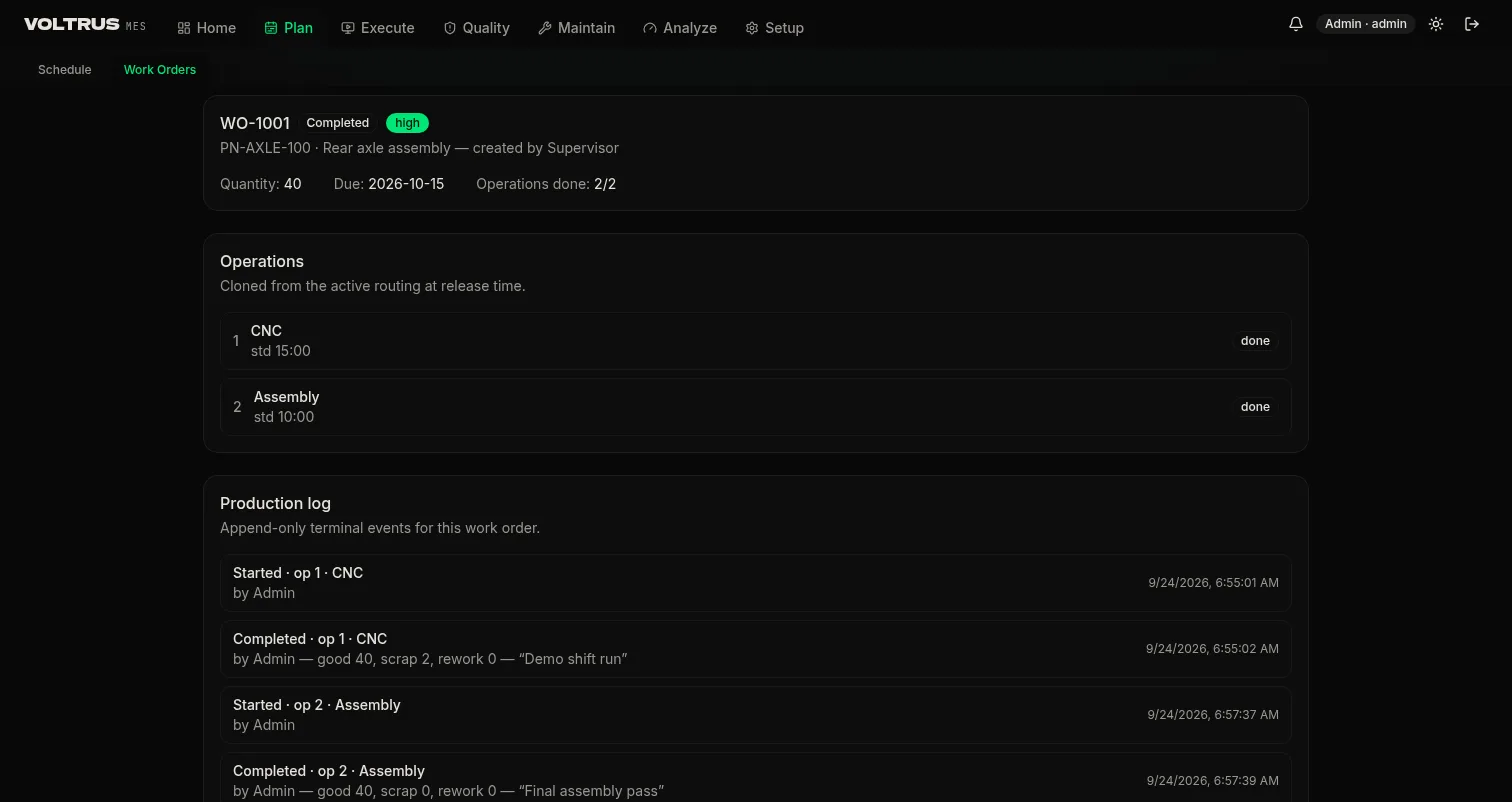
Each order keeps an event trail: every start, quantity report, pause with reason, and completion, attributed to operator and station, with timestamps. That trail is what the audit pack assembles later.
Sales Orders & Qualifications
Sales orders enter from the ERP or by manual entry, each carrying the finished good, the quantity, and the due date. The scheduler turns them into work orders against available capacity, so demand and floor plan from the same numbers.
Routing, BoM, and workflow steps
A finished good must have a routing before it can be scheduled. The routing relates to the BoM, and the BoM relates to the workflow: the sequence of steps the shop actually runs. Each step defines its own material in and material out, the personnel and asset qualifications it requires, its checklist or work instruction, and its position in the sequence. Releasing the work order clones that workflow into station operations.
Qualifications constrain the plan
Steps declare which personnel certifications and which assets they require. An operator without the qualification cannot open the step at the terminal, and an asset without it does not count as available capacity. Both constraints feed back to the scheduler, so it plans against qualified people and qualified machines rather than headcount and machine count.
Execute: Terminal, Andon, Downtime
Station terminal
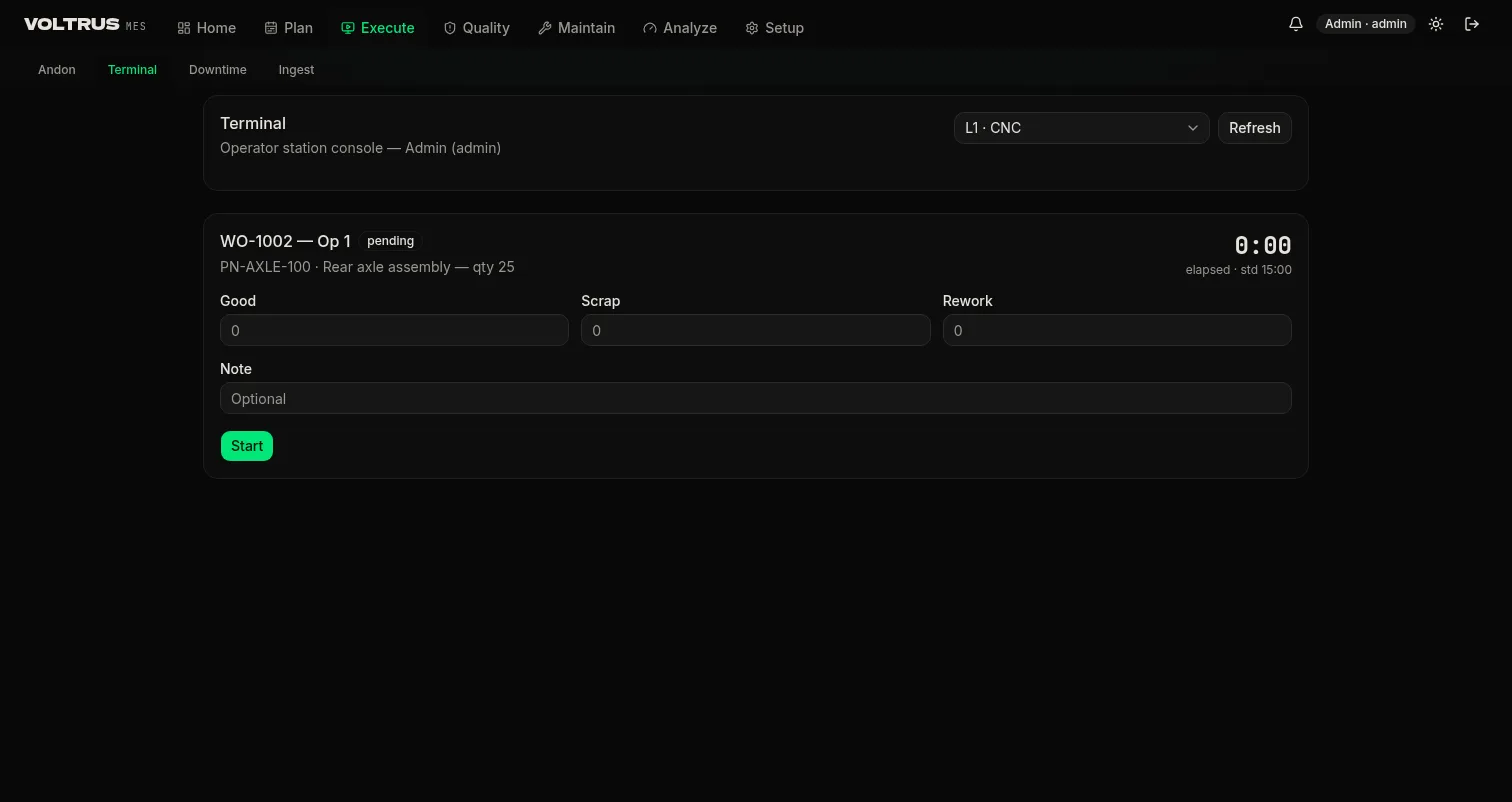
The terminal is the operator console at the station. Pick a station, and it lists the ready work in priority order. Start an operation and the elapsed timer runs against standard time. Quantities post as good, scrap, or rework. When the operation has an active inspection template, the checklist gates completion: the server rejects a completion without answers, so the gate cannot be skipped by the client.
Andon
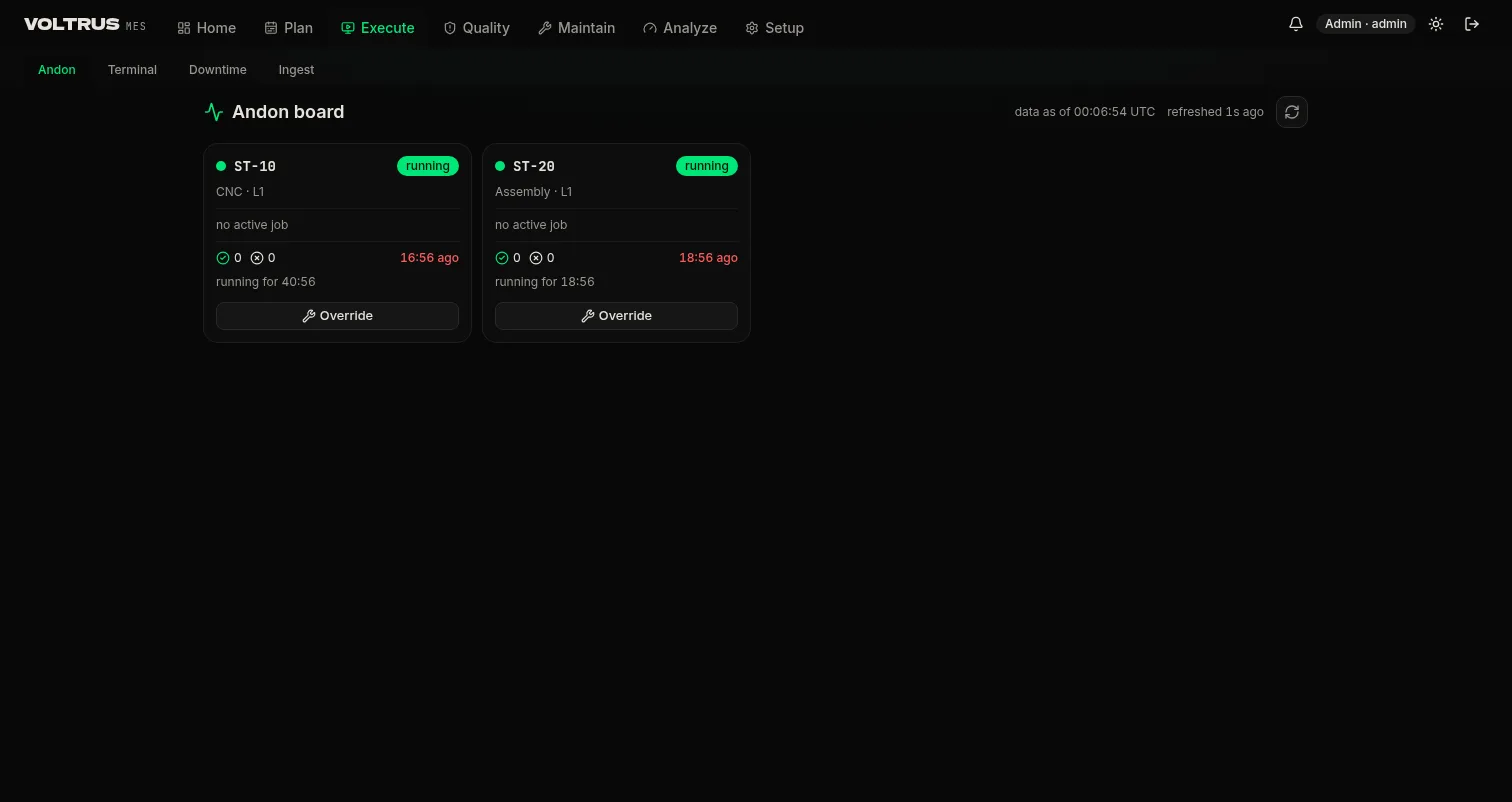
The andon board shows every station on the line as a lamp with its current state, current job, and today output. It refreshes every 10 seconds. A supervisor can override a lamp, and the override takes a reason: it becomes a downtime event in the log, not a silent edit.
Downtime
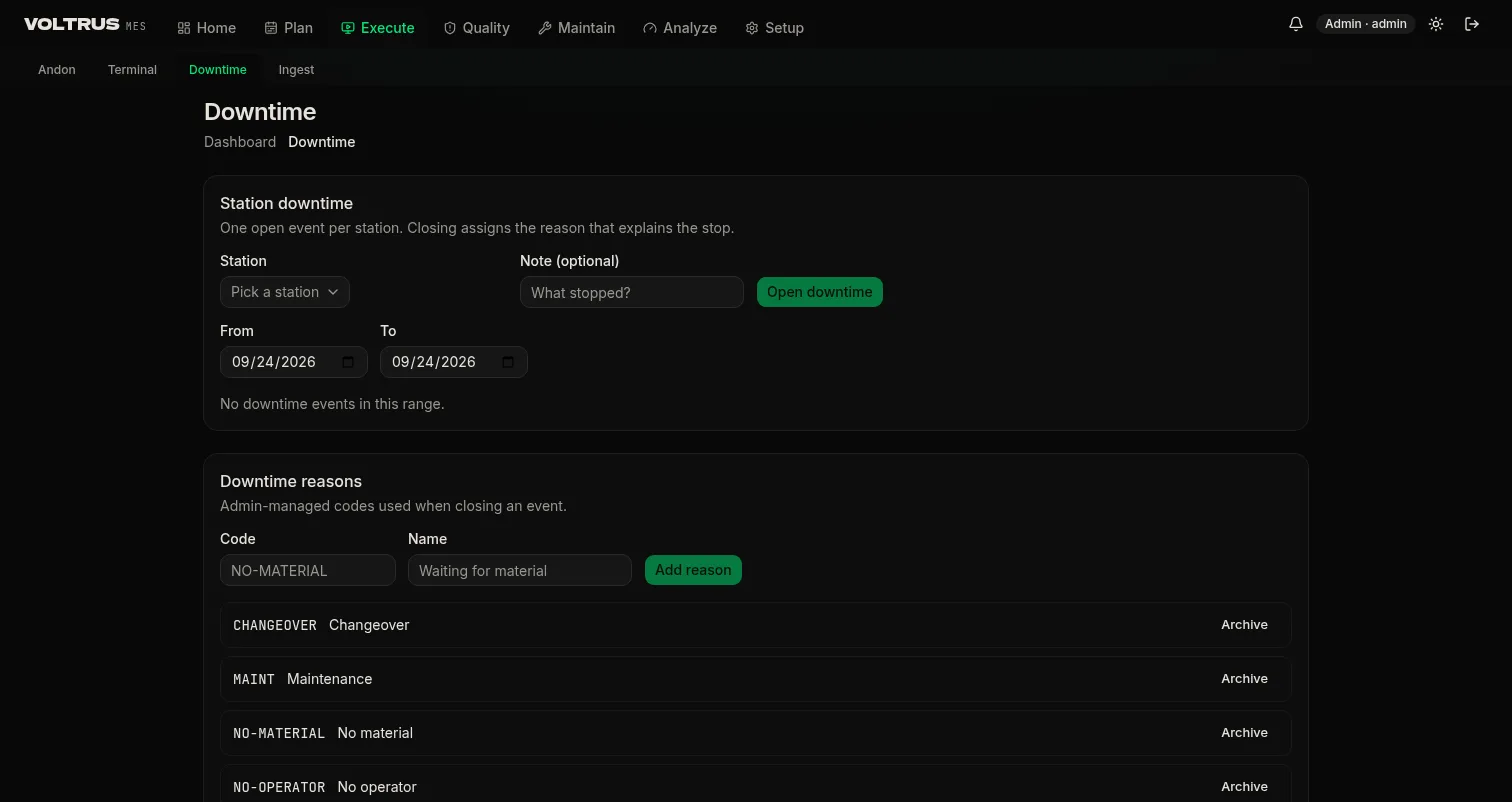
Machine states flow in through keyed ingest. The station state machine latches running and down states and opens a downtime event when a down state survives the debounce window, so short flaps never become events. Events without an assigned reason land in a triage queue; assigning a reason takes one click. The Pareto view counts minutes per reason.
Material Events & Weighing
Three material events cover the physical flow through a work order: check-in, consumption, and produce. Check-in records a lot entering the station, consumption moves it into the build, and produce records output as a new lot with its own identity. All three land in the production log, which is the trail genealogy walks later.
Manual capture
In manual mode the terminal lists only material qualified for the step: the correct batch, in the correct warehouse code and location. Material reserved for the order and already placed at a designated location shows where it sits — the reservation follows from the sales order. The operator confirms the event instead of typing a part number off a paper pick list.
Automatic capture
Where the hardware exists, the events fire themselves: a barcode scanner or a camera detecting the barcode triggers check-in; sensors trigger consumption and produce. The terminal shows the same record either way, so the audit trail does not depend on who or what triggered the event.
Weighing scale screen
The first workflow step is usually material preparation, and it runs on a dedicated weighing-scale screen type integrated with the physical scale: target weight and live scale reading side by side, and the measured weight recorded with the material event.
Machine Ingest
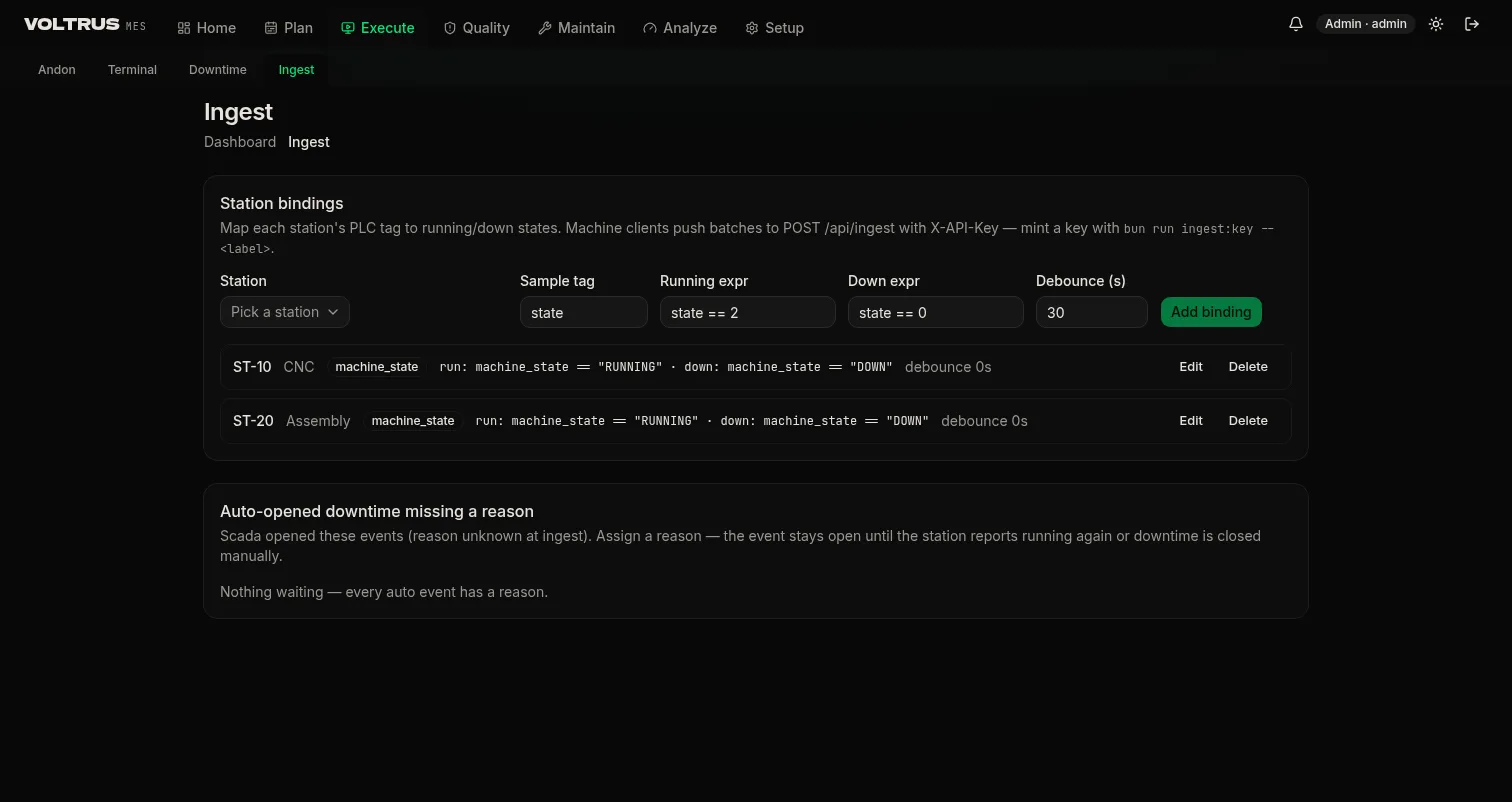
Machines talk to MES the same way they talk to Voltrus SCADA and OEE: through the keyed ingest API. A station binding maps a station code to a sample tag plus two expressions: one that means running, one that means down.
POST /api/ingest
X-API-Key: <ingest key>

{
  "samples": [
    { "station_code": "ST-10", "tag": "machine_state", "value": "DOWN",  "ts": "2026-09-24T02:10:00Z" },
    { "station_code": "ST-10", "tag": "machine_state", "value": "RUNNING", "ts": "2026-09-24T02:26:00Z" }
  ]
}- Bindings: station, sample tag, running expression, down expression, debounce seconds. Expressions compare the tag value, for example
machine_state == "DOWN"orstate == 0. - State machine: a down state that survives debounce opens a downtime event; the next running state closes it. Events get station, start, end, and duration.
- Keys: machine clients authenticate with
X-API-Key; keys are stored hashed. Admin UI calls use the session. - Without a machine connection: the terminal still records everything operators enter. Ingest removes the typing, it is not a prerequisite for the record.
Quality: Inspections & NCR
Inspections
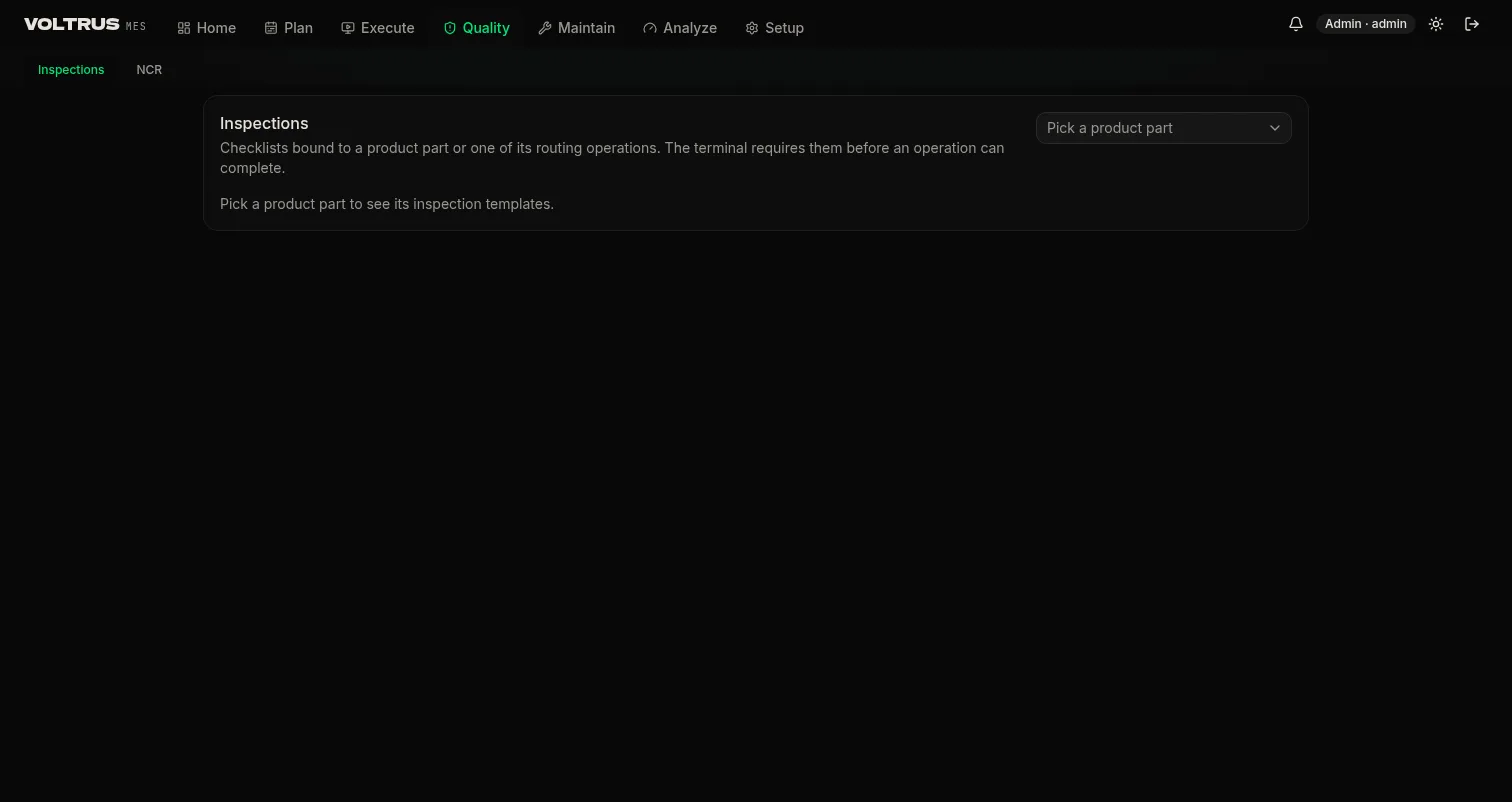
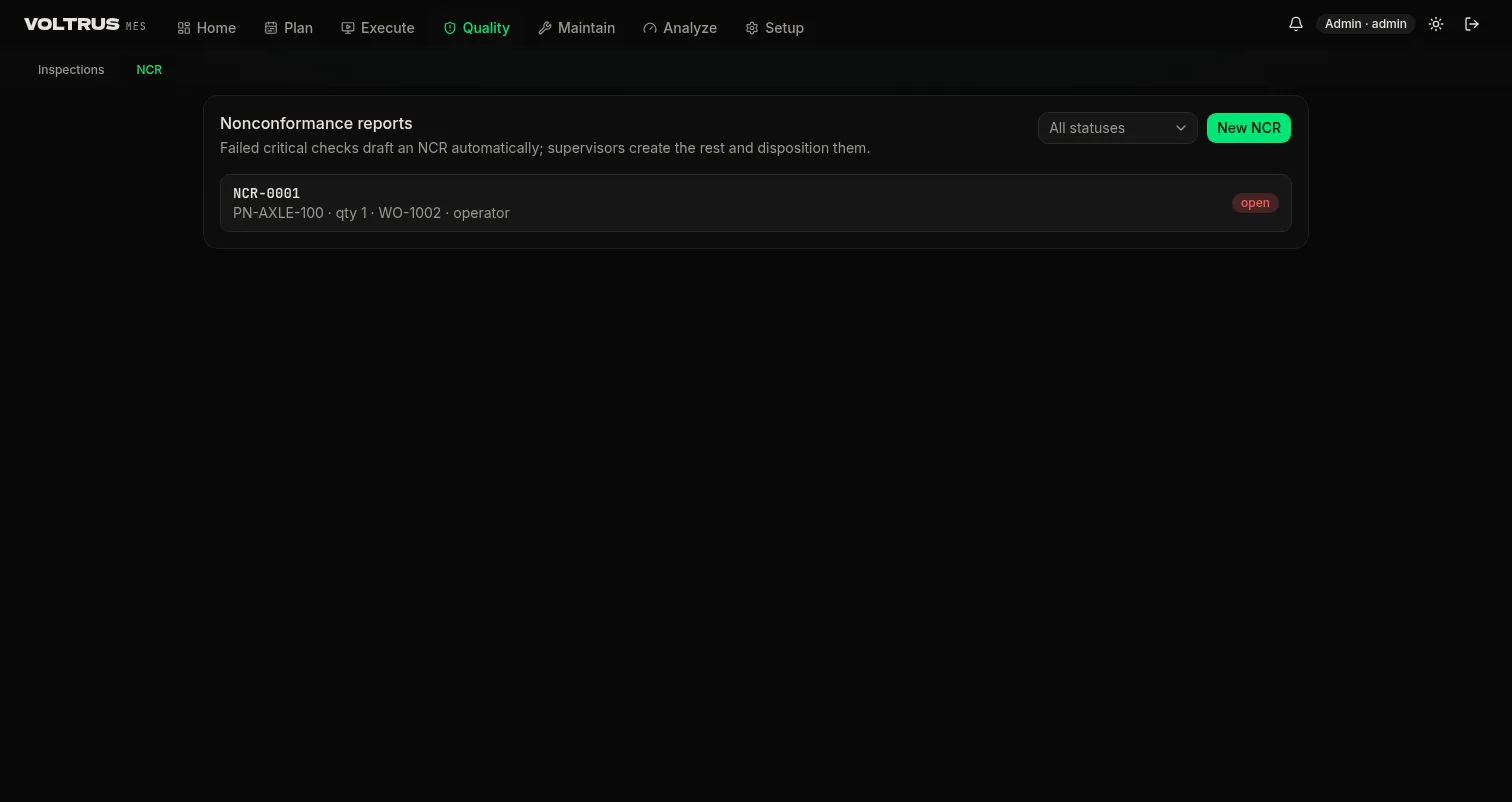
Inspection templates bind to routing operations: when that operation runs, the checklist appears at the terminal. Checks are boolean or numeric with a min and max band. Required checks gate completion, and a failed critical check auto-drafts an NCR.
NCR workflow
A non-conformance is raised from a failed critical check, by an operator, or from a customer return. The minimum workflow: raise with evidence, disposition, close with verification. Dispositions move the world, not just the file: scrap decrements stock, rework reopens the operation, return to vendor and use-as-is post accordingly.
Measurement forms and gauges
Regular quality checks run on configurable measurement input forms: the fields, units, and bands match the check being taken, not a one-size form. Where the gauge or quality machine on the line can be interfaced, MES interfaces it — readings land straight from the instrument, and the terminal renders the SPC control chart next to the check so drift shows while the batch is still running.
Quality notifications and corrective maintenance
A quality notification posts to LIMS where LIMS is the system of record, or to the ERP where it is not. Corrective maintenance raised from the terminal goes to the CMMS, or to the internal ticket module for plants that have not stood up a full CMMS. Either way it carries the note the operator wrote at the station.
Pause, hourly targets, and escalation
- Pause with reason: pausing production requires a reason code, and where the machine supports it the pause links to the machine alarm so the downtime record and the alarm history agree.
- Hourly target vs actual: the terminal shows production cadence against the actual hourly target. Below target fires an alert with configurable escalation — notify the production manager, then further up, on the schedule the site sets.
- Reject limits: configured the same way, with the same escalation path when rejects cross the line.
Trace & Audit Pack
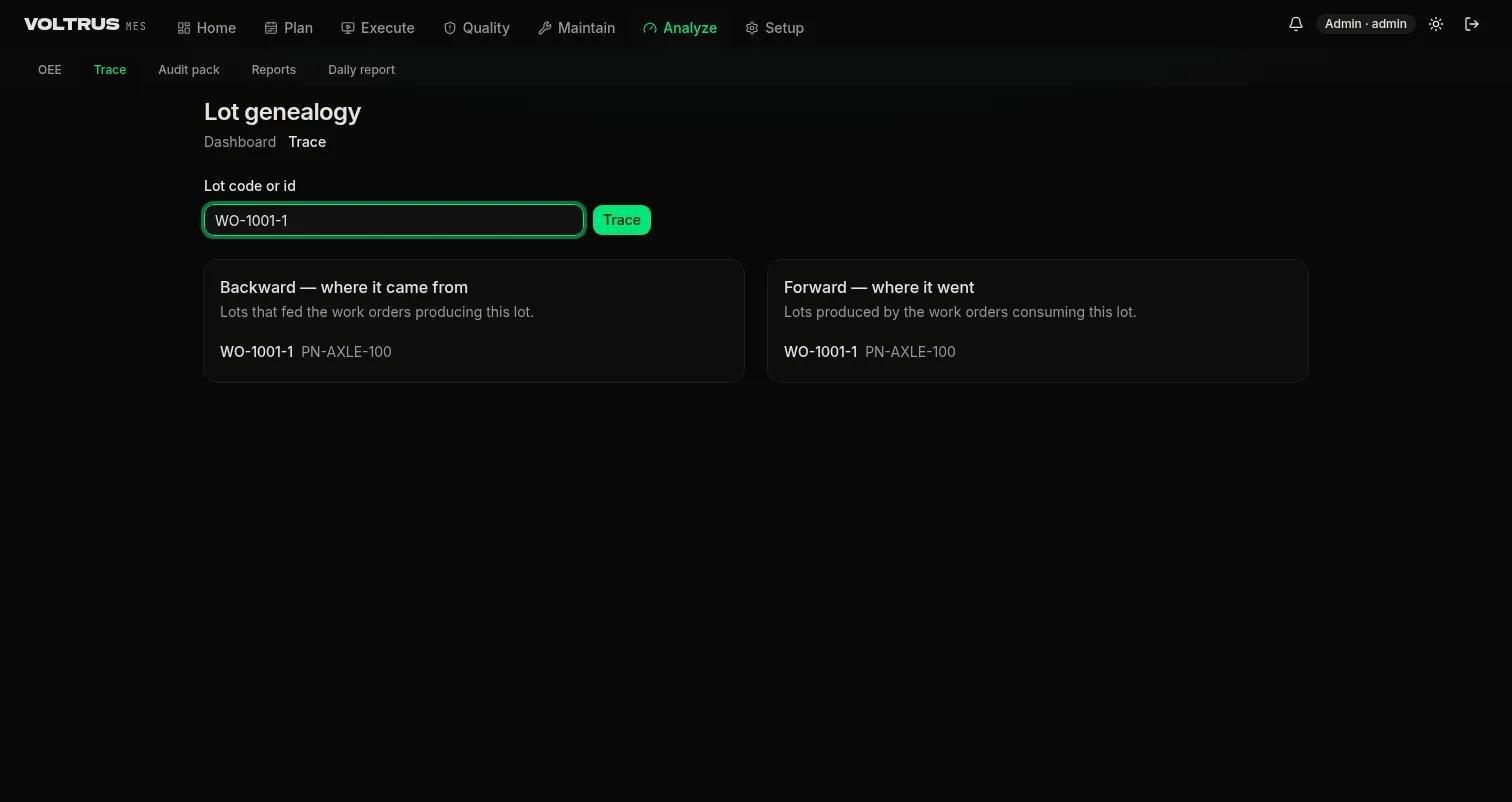
Every completed operation writes to the production log with operator, station, timestamps, and quantities. Completed orders produce output lots. Genealogy runs both directions: forward from a material lot to every finished unit that touched it, backward from a finished unit to every input.
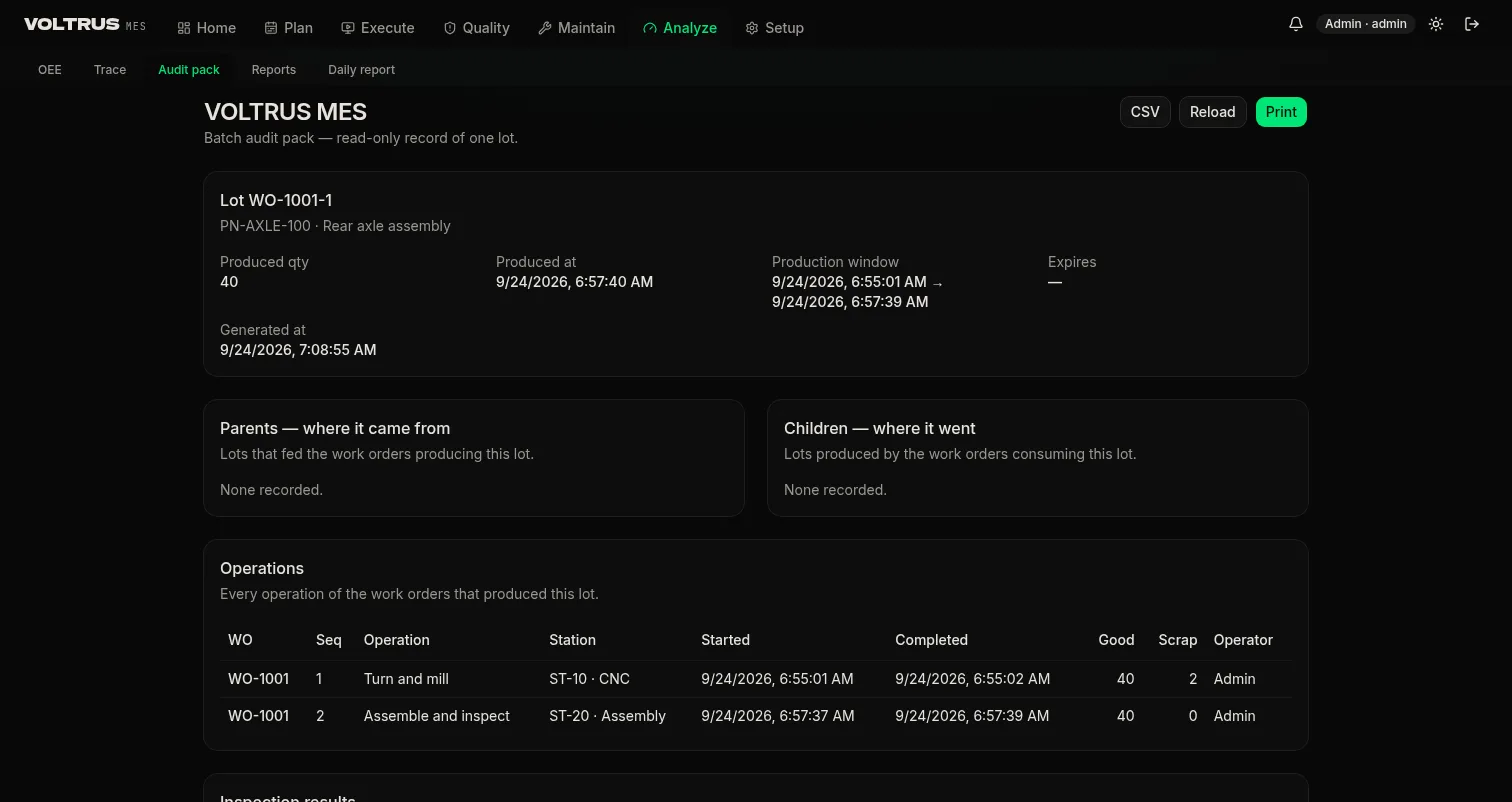
The audit pack assembles a lot's complete record: identity, machine and operator trail, in-process checks with answers, and any NCR raised against the order. It prints and exports as CSV, and the month-end zip bundles every pack for the period.
Packing, Batch Numbers & Labels
Packing is usually the last step of the workflow, and it usually needs a new identity for the output. MES generates the batch number automatically, following the numbering rules the site configures — prefix, sequence, date components — so numbers come out the way the plant's own scheme expects, not a generic counter. The same rules drive barcode numbering, and the barcode prints at the station as part of the step.
Labels from the report designer
Label layout comes from the report designer module, embedded in the packing use case: design the label once — fields, barcode, layout — then trigger the print from the packing step without leaving the terminal flow.
Printer integration
Printers connect through the Voltrus Gateway, the same hardware bridge that carries scales, scanners, and sensors. MES emits the print job as a webhook and the Gateway drives the printer on the plant network; operator terminals hold no printer drivers.
Analyze: OEE & Reports
OEE rollups
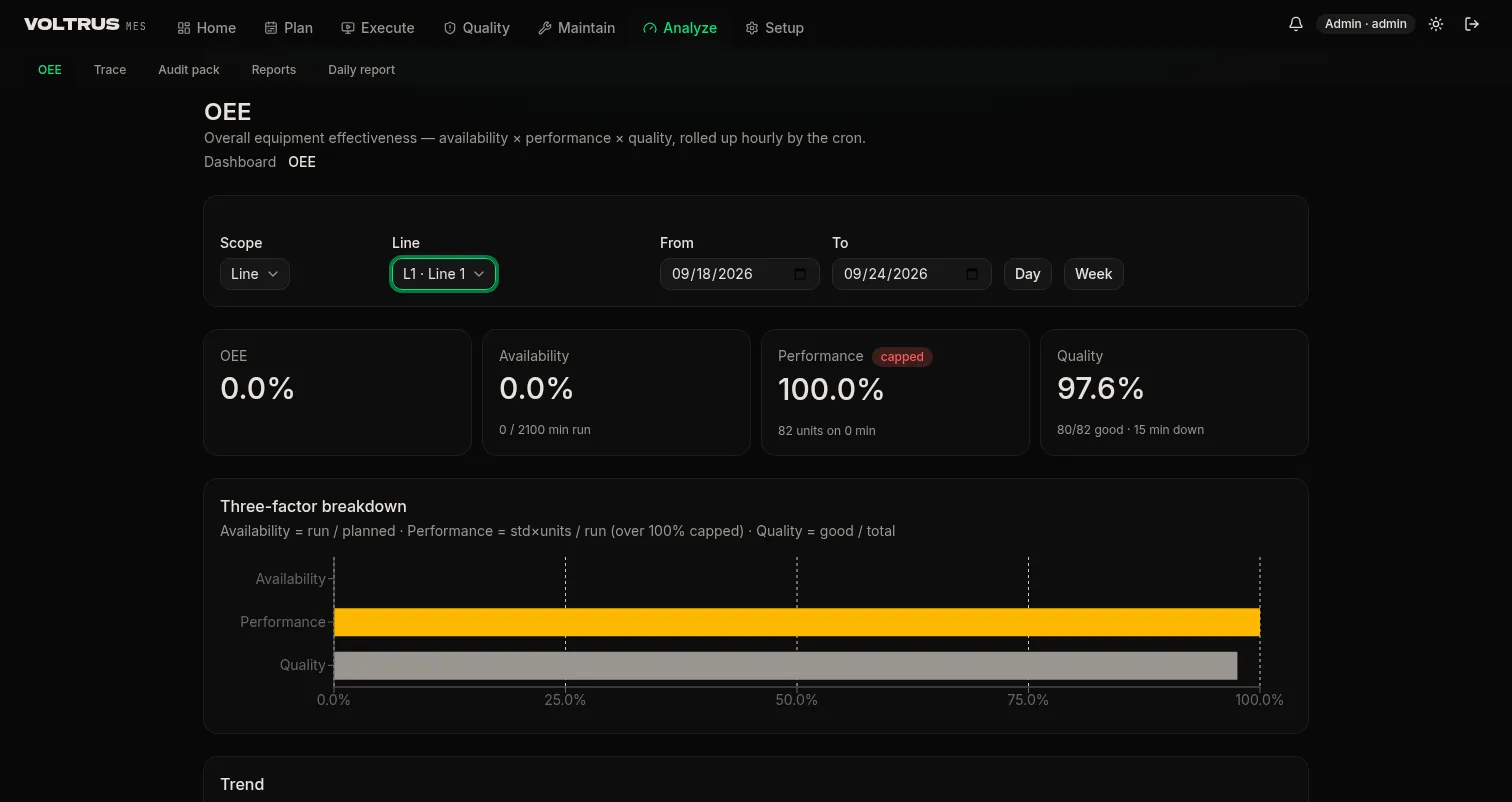
Every hour, MES rolls availability, performance, and quality up per station and per line, and attributes them to work orders and shifts. Performance is capped at 100 percent so a bad count source cannot flatter the number. Downtime minutes come from the events above, not from estimates.
Daily report
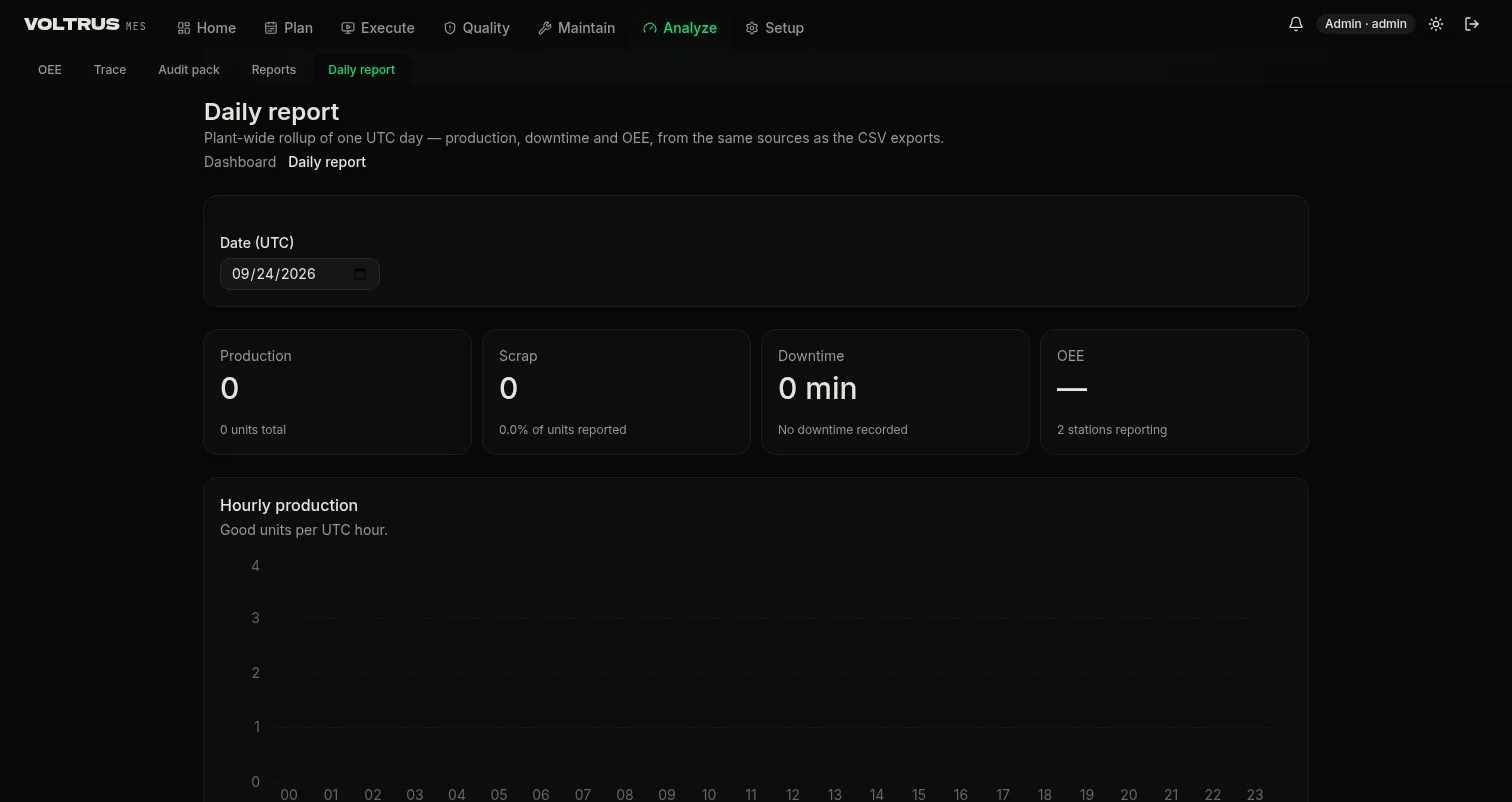
The end-of-shift report covers output by line and order, good vs scrap, downtime minutes by reason, and open NCRs. It generates from the log; nobody reconstructs the shift at 17:00.
Data & Handoff
You own your production data. Everything in the system exports: production log, downtime events, OEE rollups, NCR register, stock movements. CSVs have documented columns so the ERP handoff is a file your system already accepts, and the month-end zip bundles reports plus every audit pack for the period. Hardware-side integrations — printers, scales, scanners, sensors, gauges — run through webhooks and the Voltrus Gateway, covered under Webhooks & Gateway Hardware.
| Export | Covers | Format |
|---|---|---|
| Production log | Every event with operator, station, timestamps, quantities | CSV |
| Audit pack | Full record per output lot | Print + CSV |
| Month-end pack | Reports plus all audit packs for the period | ZIP |
| OEE rollups | Hourly per station and line | CSV |
MCP & AI Agents
The whole MES is one MCP endpoint at /mcp: 25 operations spanning the full flow, from sales order to completed work order, from OEE query to lot trace. Point Claude, Codex, or any MCP client at your instance and run the plant in natural language. Agents execute the same validated procedures as the UI, so role gates and domain rules apply unchanged.
Auth: a signed-in session cookie or X-API-Key: $MCP_API_KEY. Key callers act as the plant's first active admin user. Set the secret with wrangler secret put MCP_API_KEY.
Register with any MCP client:
{
  "mcpServers": {
    "voltrus-mes": {
      "url": "https://app.mes.voltrus.id/mcp",
      "transport": "http",
      "headers": { "X-API-Key": "YOUR_MCP_API_KEY" }
    }
  }
}
The 25 tools:
- Demand & planning:
dashboard_counts,dashboard_today,salesorders_list,salesorder_get,salesorder_create,workorders_list,workorder_get,workorder_create,workorder_release,schedule_board - Records & trace:
parts_list,inventory_levels,lots_list,trace_back - Analyze:
oee_line,daily_report,maintenance_overview - Line terminal chain:
terminal_ready,terminal_start,material_checkin,material_consume,terminal_report,terminal_complete,terminal_materials - Maintenance:
ticket_maintenance
Example asks: "Which lines are behind plan today, and what was the top downtime reason?" · "Create and release a work order for 500 units, due Monday first shift." · "Where did the material for this lot come from? Assemble the audit pack."
Webhooks & Gateway Hardware
Everything MES pushes to hardware follows one pattern: MES emits a webhook, the Voltrus Gateway receives it and drives the device. The Gateway is the only component that needs to reach the printer, the scale, the scanner, or the sensor — MES never talks to plant hardware directly, and terminals carry no device drivers.
| Device class | What the Gateway does |
|---|---|
| Label printers | Print batch labels and barcodes from the packing step |
| Weighing scales | Feed live weight to the material prep screen |
| Barcode scanners | Trigger material check-in on scan; cameras read the barcode |
| Sensors | Trigger consumption and produce events |
| Quality gauges | Stream readings into checks and SPC charts |
Machine parameters at the station
Where a machine is configured for it, the terminal shows machine parameters — temperature, pressure — the way an HMI would: live while the job runs, and over a selectable time range when reviewing. Everything shown is recorded during production, so the parameter history is part of the audit record rather than a screen that forgets.
Checklist items against machine data
Checklist items can verify against machine data instead of operator eyes. The standard case: after a changeover, a torque measurement confirms the mold or die is precisely tightened before the machine runs. The terminal pulls the reading from the machine, the check passes or fails on the number, and the history of every verification stays viewable per checklist item.
Pricing
$59 per machine per month (USD, billed annually) or Rp 750.000 per machine per month, with a $299 / Rp 3.750.000 monthly site minimum — about five machines. Onboarding is assisted on a call or on site (East Java) and included in the price, as is support in Bahasa Indonesia and English.
ERP integrations, custom reports, and extra sites are quoted separately. Multi-site, SSO, and white-label arrangements for OEMs and system integrators: talk to us.
Get started: support@voltrus.id.
Support
Every site has a direct line to the onboarding engineer, business hours WIB, in Bahasa Indonesia or English. Write to support@voltrus.id, subject Voltrus MES.