Browse OPC UA servers on your Mac.
No Parallels. No Windows.
The only native macOS app that browses OPC UA namespaces, reads and writes node attributes, monitors subscriptions in real time, with certificate management and server simulation. No VMs, no CLI wrestling.
Screenshots
See it in action
Full demo: namespace browsing, node reading/writing, subscription monitoring, and certificate management.
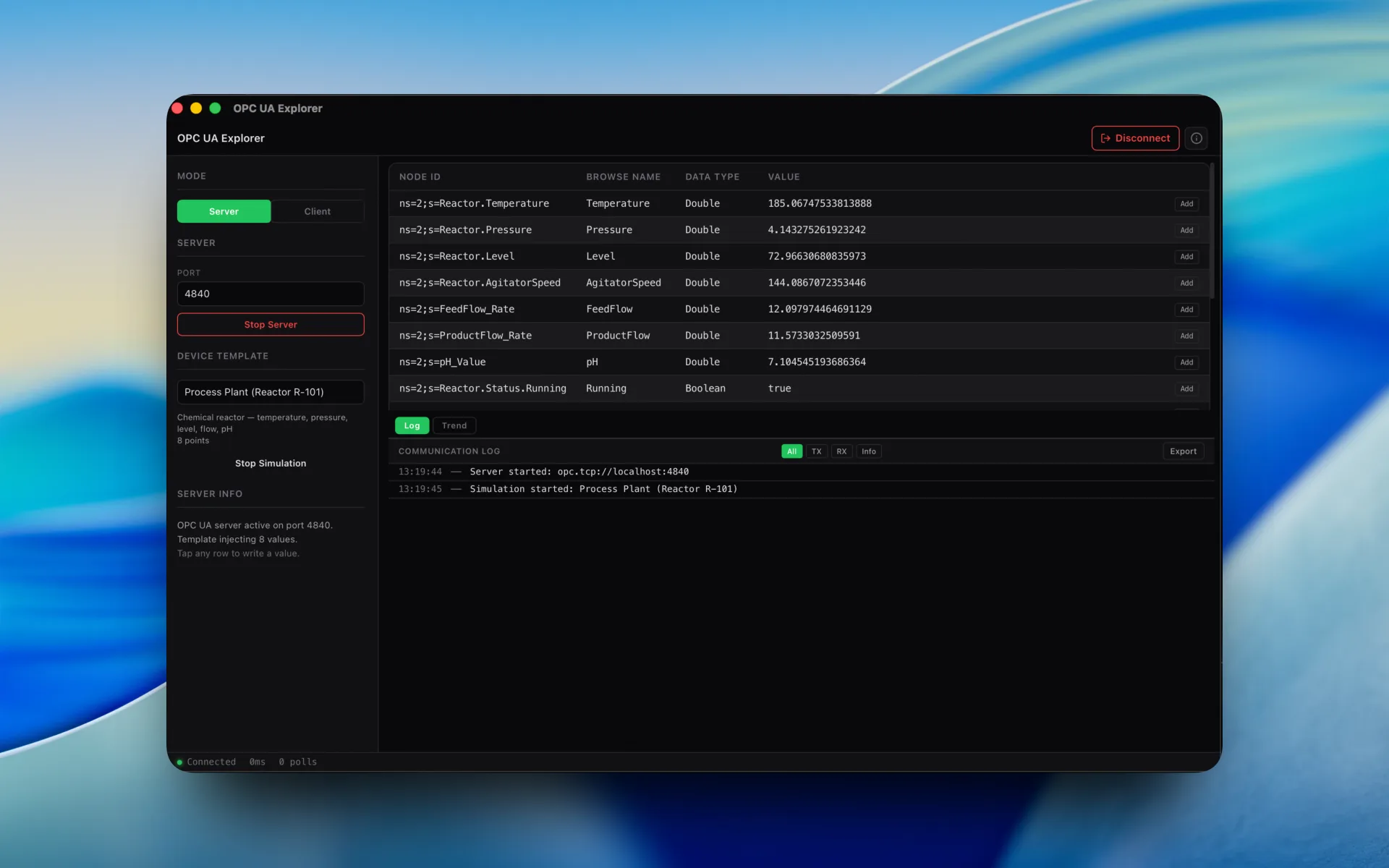
Namespace browser: explore the full OPC UA address space with hierarchical node tree navigation.
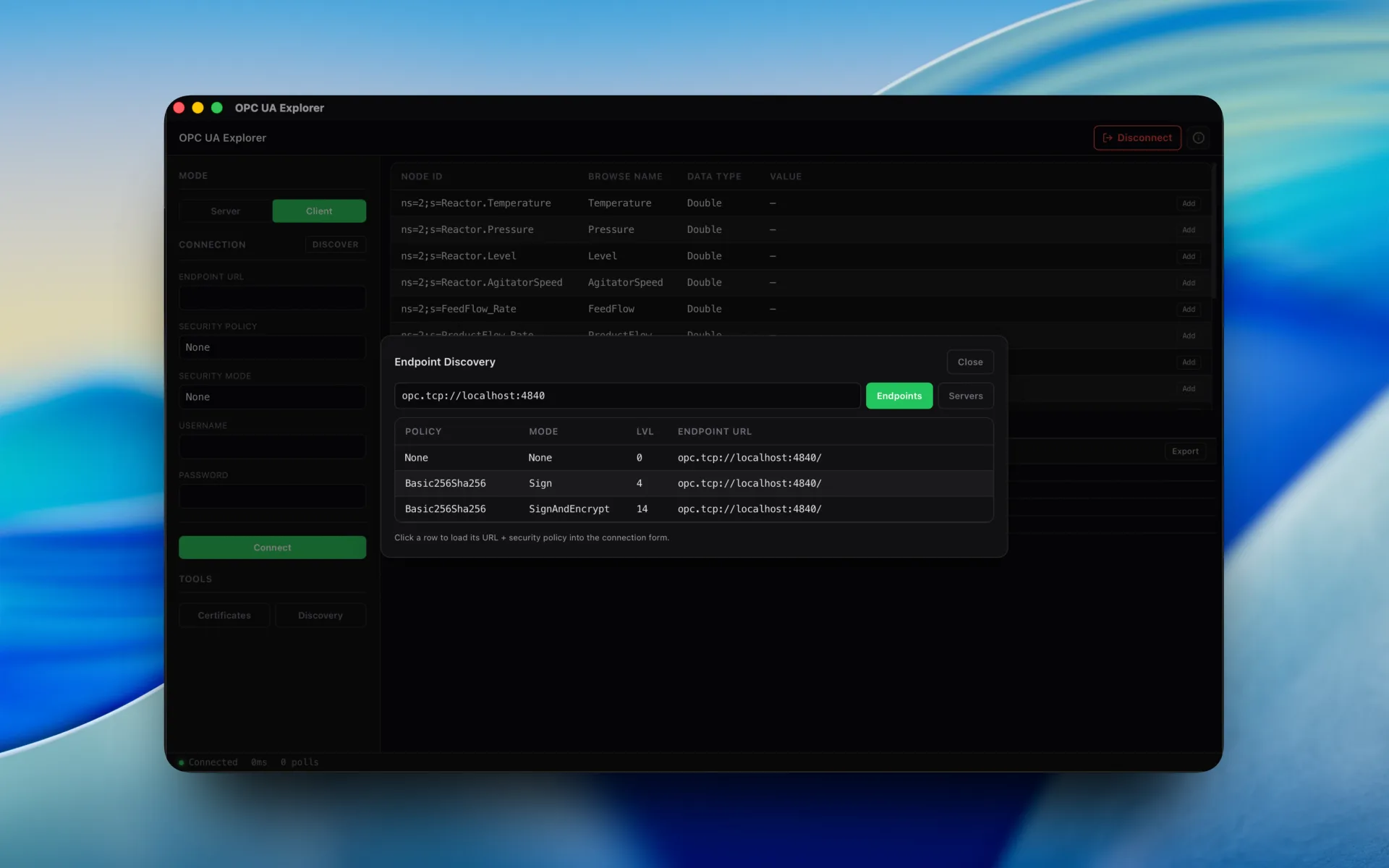
Node attributes: read and write variable values, view descriptions, engineering units, and data types.
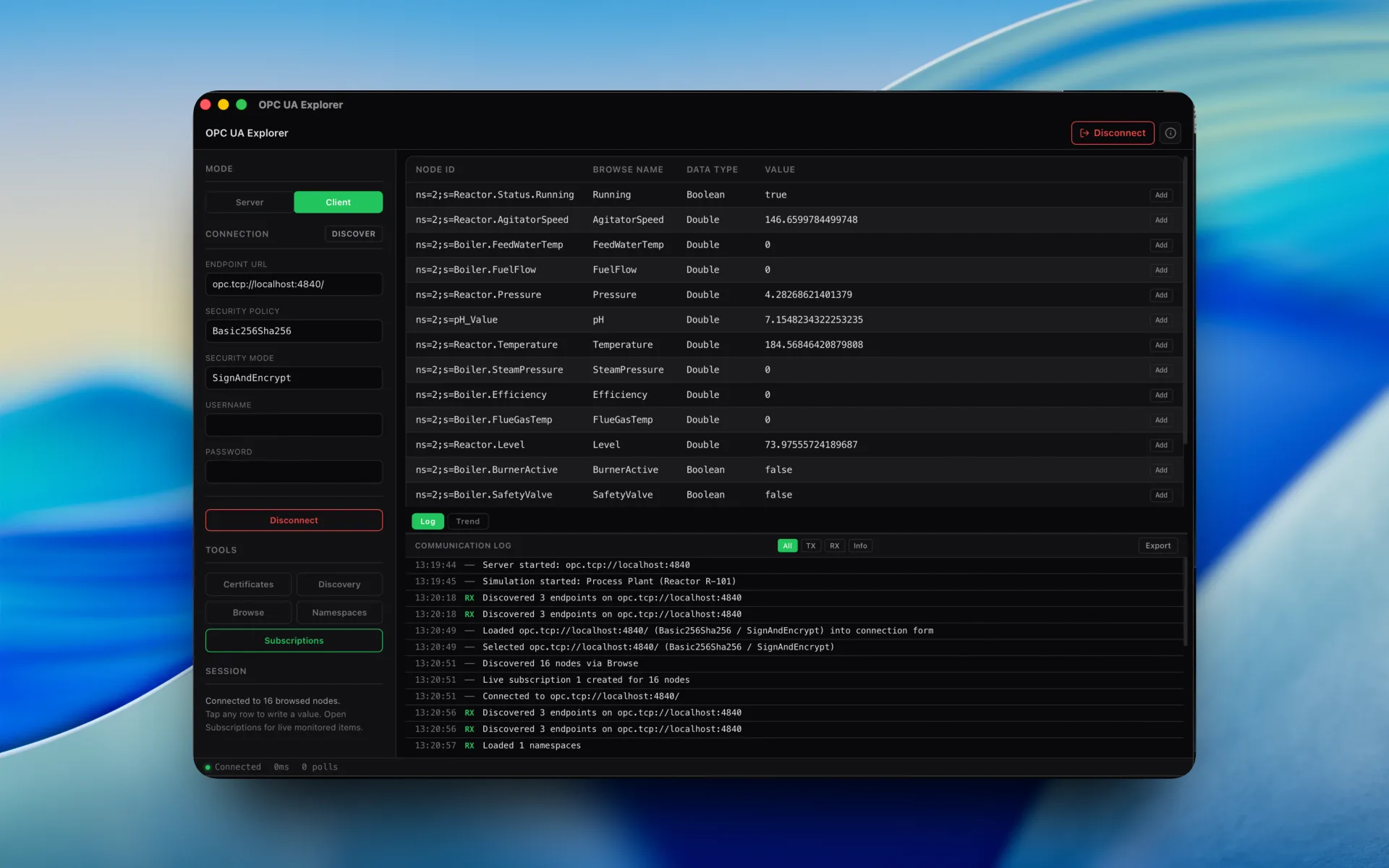
Subscriptions: monitor value changes in real time with configurable sampling intervals and publishing rates.
Certificate manager: trust, reject, and manage X.509 certificates for secure OPC UA connections.
Security
Certificate management. Security modes. Enterprise-grade security on your Mac.
OPC UA security is non-negotiable. The app supports all three security modes with full X.509 certificate lifecycle management. Generate application certificates, manage trust lists, and enforce encryption, all from a native macOS interface.
Security Mode: None
No encryption or signing. Useful for testing and development with local servers. Connect quickly without certificate exchange.
Security Mode: Sign
Messages are signed but not encrypted. Ensures data integrity and authentication without the overhead of full encryption. Ideal for trusted networks.
Security Mode: SignAndEncrypt
Full security: messages are both signed and encrypted. Application-layer authentication with X.509 certificates. Recommended for production environments.
Certificate Manager
Generate, trust, reject, and delete X.509 application certificates. Manage your own certificate and the server's certificate. View certificate details, validity periods, and thumbprints.
Application Authentication
Each connection is authenticated with application-instance certificates. The app handles the OPC UA handshake, certificate exchange, and session creation automatically.
Trust List Management
Maintain trusted and rejected certificate lists. When connecting to a new server, review and accept its certificate. Once trusted, subsequent connections are seamless.
01: Features
Everything you need. Nothing you don't.
A native OPC UA client that covers namespace browsing, node reading and writing, subscriptions, certificate management, and server simulation, all in one app. No subscriptions. No Electron. No Java.
Server Browser
Connect to any OPC UA server by endpoint URL. Discover available endpoints, security policies, and server capabilities. Connect with your preferred security mode and user identity.
Namespace Browser
Explore the full OPC UA address space with a hierarchical tree view. Navigate objects, folders, variables, and methods across multiple namespaces. Expand nodes to discover child nodes and references.
Attribute Read / Write
Read and write node attributes: value, description, engineering units, EU range, data type, access level. View structured data with type-aware formatting. Support for all built-in OPC UA data types.
Subscriptions & Monitored Items
Create subscriptions with configurable publishing intervals. Add monitored items to any variable node. Receive real-time value change notifications. Filter by data change trigger type and deadband.
Certificate Management
Generate and manage X.509 application certificates. Trust or reject server certificates. Maintain trusted and rejected certificate lists. View certificate details, validity, and thumbprints.
Security Modes
Support for all three OPC UA security modes: None (no security), Sign (message integrity), and SignAndEncrypt (full security). Select per-connection based on your requirements.
Reference Browser
Explore forward and inverse references for any node. See hierarchical references, organizational references, and type references. Understand the full relationship graph between nodes.
Server Mode Simulation
Run a simulated OPC UA server to test client implementations. Configure address space with custom variables and values. Useful for development and testing without a real PLC or SCADA system.
Namespace Index Browser
View all namespaces registered on a server with their URIs and namespace indices. Filter the address space by namespace to focus on application-specific nodes.
The problem
You're running UaExpert in a Java sandbox.
UaExpert works, until it doesn't on a Mac. JVM updates break certificate stores, DPI scaling turns your tree view into mush, and every plant-floor session starts with a launcher splash instead of your namespace. If you've Googled "UaExpert macOS certificate error", you already know.
Java Runtime Roulette
Every JVM update is a lottery ticket for your PKI directory and trust lists. A native app has no runtime to break.
Certificates That Fight Back
UaExpert's certificate handling on macOS buries trust lists in hidden directories. Ours is a first-class GUI: trust, reject, done.
Laggy Monitored Items
Latency through the JVM stack makes subscriptions stutter on busy servers. Native Rust: updates land when the server sends them.
Not Built for the Mac
DPI scaling, trackpad scrolling, Retina rendering: cross-platform Java tools treat macOS as an afterthought. This is a Mac app first.
03: Compare
How it compares to UaExpert
UaExpert is the free default, and a genuinely good one. Here's the honest breakdown of when $14.99 is worth it.
Honest take: if you need DA/HA/AC companion-spec profiles or OPC UA PubSub, stay on UaExpert today. If you live in a namespace browser and a subscription monitor on a Mac, this is the smoother daily driver.
04: Use Cases
Built for engineers who carry MacBooks.
PLC commissioning, SCADA integration, driver development: OPC UA is the lingua franca of modern industrial data, and now you can speak it natively on your Mac.
PLC Commissioning
Browse namespaces on Siemens S7-1500 and Beckhoff TwinCAT PLCs. Verify exposed variables, check access levels, and confirm data types before wiring the SCADA.
SCADA Integration
Pre-flight OPC UA endpoints before connecting Ignition or WinCC. Test security policies, validate certificates, and read live values, without a Windows laptop.
Security Audits
Enumerate which endpoints accept Security Mode None vs SignAndEncrypt. Audit server certificates and trust lists before the plant's IT audit finds them.
Driver Development
Building an OPC UA client or server? Use built-in server simulation to test subscriptions, writes, and certificate exchange against a known-good peer.
Data Investigation
Subscribe to live tags, watch engineering units and EU ranges, and trace bad-quality values to their source node, with timestamps you can trust.
System Integration
Validate OPC UA connectivity end-to-end during FAT. Confirm servers respond, certificates chain, and monitored items deliver, before go-live.
02: FAQ
Common questions
Licensing
Need classroom, laboratory, or organization-wide licensing?
Voltrus offers Academic Lab, Team, and Enterprise Site licenses from $299 one-time: one invoice, multi-seat usage, offline native apps.
See Academic & Enterprise OptionsMac App Store
Stop paying for Parallels.
Get a native OPC UA client: browse, monitor, secure.
Own another Voltrus tool? Claim 20% off your next purchase.
Direct download: dl-opcua-explorer.voltrus.id/latest
Stay Updated
Get notified about new features & updates
We add new OPC UA features, server profiles, and platform support regularly. No spam, only product updates.
Also from MacTools